Why “zero-click” matters in today’s threat landscape
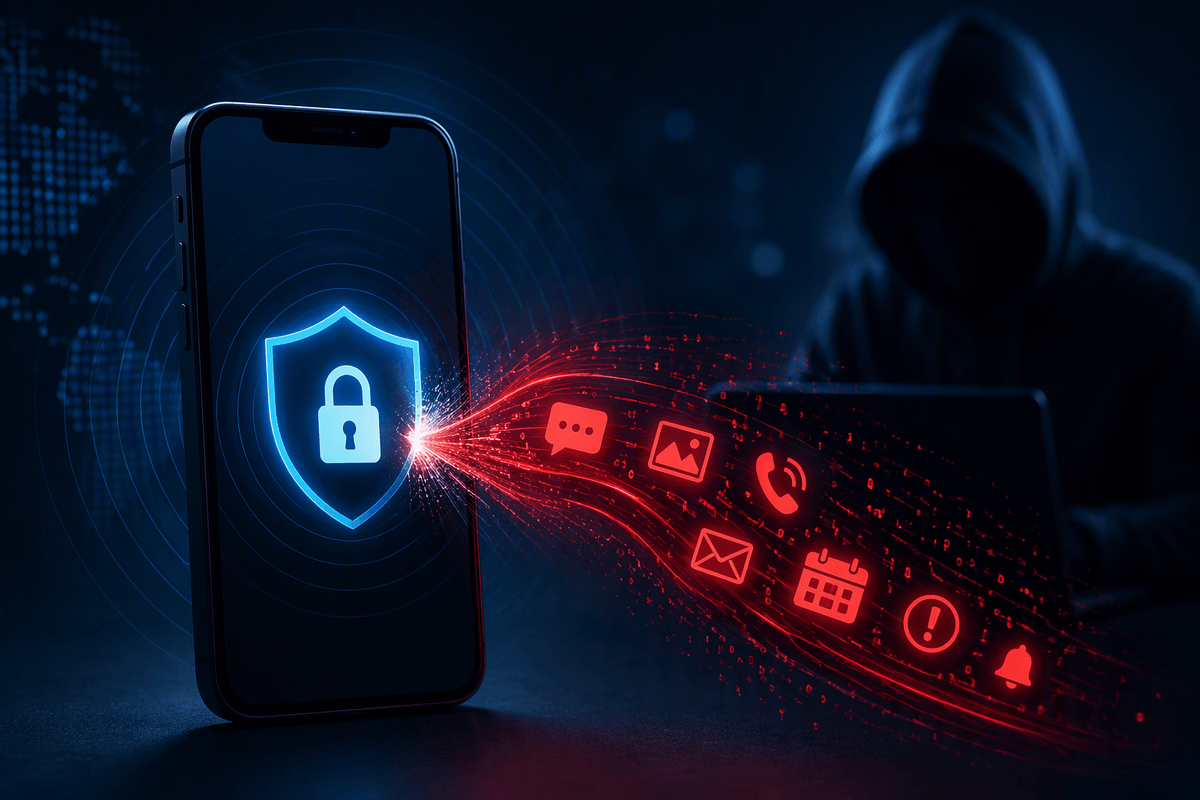
You’ve probably seen headlines about phones being “hacked without you doing anything.” That’s the core worry behind zero-click attacks: the usual safety advice—don’t click suspicious links, don’t open odd attachments—doesn’t fully cover it. If a flaw exists in a tool you use every day (messaging, calling, email previews, calendar invites, even push notifications), an attacker may only need to reach your device, not persuade you.
That changes the risk conversation for small teams and busy owners. These attacks are harder to notice, often leave fewer obvious traces, and tend to hit high-value targets first. The practical constraint is cost: strong defenses often require timely patching, disciplined device management, and sometimes outside help.
Zero-click attacks, explained without the jargon

Think of a normal scam as a trap you have to step into: you click a link, open a file, approve a login. A zero-click attack is different. It uses a bug in how an app or service processes incoming data, so the harmful code runs as the message, call, image, or notification arrives—before you ever interact with it.
A realistic example is a messaging app that automatically “parses” a preview or attachment. If that parsing code has a flaw, a specially crafted message can trigger it just by being delivered. From your side, nothing looks unusual. You might not even see the message, because it can be deleted or hidden after it does its work.
The catch is that this isn’t magic and it isn’t cheap. Zero-click chains often rely on rare, hard-to-find vulnerabilities, so they’re used selectively—against specific people, devices, or organizations where the payoff is high.
How an attack succeeds when you never tap anything
You can picture it like a mailroom that automatically opens packages to “scan” them. If the scanner has a flaw, a bad package can break it and slip something inside—without anyone choosing to open it. On a phone or laptop, the “mailroom” is the part of the system that receives and interprets incoming content: a message preview, an image thumbnail, a missed-call notification, a shared calendar item. The attacker sends data shaped to hit a specific bug, and the app does the risky work on their behalf as part of normal processing.
Once that first bug fires, the attack often continues in steps: one weakness to run code inside the app, another to escape the app’s sandbox, and sometimes a third to gain higher privileges or stay persistent. The practical difficulty is reliability. These chains can be fragile across device models and software versions, and defenders may not see clear warning signs—just a brief spike in crashes, battery use, or network traffic that looks like everyday noise.
Where zero-click payloads usually enter: apps and services
The entry point is almost always an app or built-in service that accepts unsolicited input and processes it automatically. Messaging is the classic example (iMessage-style services, chat apps, SMS/MMS), because they render previews, thumbnails, link cards, and voice notes in the background. Calling and video calling can be similar: the device has to parse signaling data and sometimes media streams just to ring, show “missed call,” or display caller details.
Email and calendar are another quiet path, especially when clients prefetch remote images, render HTML, or auto-handle meeting invites. Even push-notification pipelines can matter because notifications are designed to be delivered and displayed without user approval. The constraint for defenders is that you can’t “train” people out of receiving messages; the fix is mostly patching, configuration, and reducing exposed surfaces.
What attackers gain—and why these attacks stay invisible

If the chain works, the attacker usually wants one of three things: access to the data already on the device (messages, email, photos, files, password-manager vaults), access to accounts the device can reach (business email, cloud storage, admin portals), or a foothold for surveillance (mic, camera, location, contact graphs). For a small business, the high-impact outcome is often account takeover through stolen session tokens, not “Hollywood hacking.” A compromised phone can become a quiet bridge into shared drives, invoicing systems, and customer records.
These attacks stay hard to spot because they can live inside normal-looking processes. The triggering message may never appear, logs may be thin, and the attacker’s traffic can blend into routine sync and push activity. The practical downside is that you may only notice after a secondary signal—odd login alerts, new email rules, or invoices rerouted—when the device compromise is no longer the only problem.
Who should worry most: matching risk to your profile
A useful way to judge your risk is to ask whether someone would pay to target you specifically. Journalists, activists, attorneys, executives, and people who handle mergers, investigations, or sensitive sources are common picks because one phone can expose networks of contacts and ongoing plans. Small businesses move up the list when they control money flow (bookkeepers, finance leads), admin access (IT, email admins), or valuable data (health, legal, customer records).
Most people are more likely to face “spray-and-pray” phishing than a true zero-click chain, because zero-clicks are expensive and can fail on the wrong device version. Still, if you travel often, use personal devices for business, or can’t patch quickly, you should assume higher exposure and plan for faster escalation when something feels off.
Reducing risk: what actually helps day to day
The daily win is shrinking the number of places “unsolicited input” can reach you. Keep phones and laptops on automatic updates and make patching a same-week habit for anything that handles messages, calls, or email. Where you can, limit what can arrive: tighten who can add you to group chats, disable link previews in chat apps if the option exists, turn off automatic loading of remote images in email, and consider using separate numbers/accounts for public-facing work versus internal business use.
On the organization side, treat devices like endpoints, not personal accessories. Use mobile-device management (even lightweight options) to enforce OS updates, screen locks, and app controls, and back it up with strong account protections like phishing-resistant MFA on email and admin portals. Expect trade-offs: stricter settings can frustrate staff and add IT overhead. Escalate when you see multiple “small” anomalies at once—unexpected app crashes, new email rules, odd sign-ins—because device compromise often shows up indirectly.
A practical takeaway: focus on exposure, not paranoia
Most people don’t need to live in fear of “invisible hacks,” but they do need to manage exposure. Zero-click risk is less about whether you’re careful and more about how reachable you are and how quickly your devices change when vendors ship fixes. If you can’t patch within days, run lots of always-on messaging apps, or keep a public-facing number for customer contact, assume higher exposure and compensate with tighter settings, stronger account controls, and clearer escalation paths.
The practical rule is simple: reduce the number of doors, and make the remaining doors harder to use. When something feels off, don’t debate whether it was “really” zero-click—preserve the device, rotate critical credentials from a clean system, and bring in professional help if money movement, admin access, or sensitive client data is involved.